

The first version of my Low-Level tools is finally released, the download links are available in the Tools’ dedicate page.
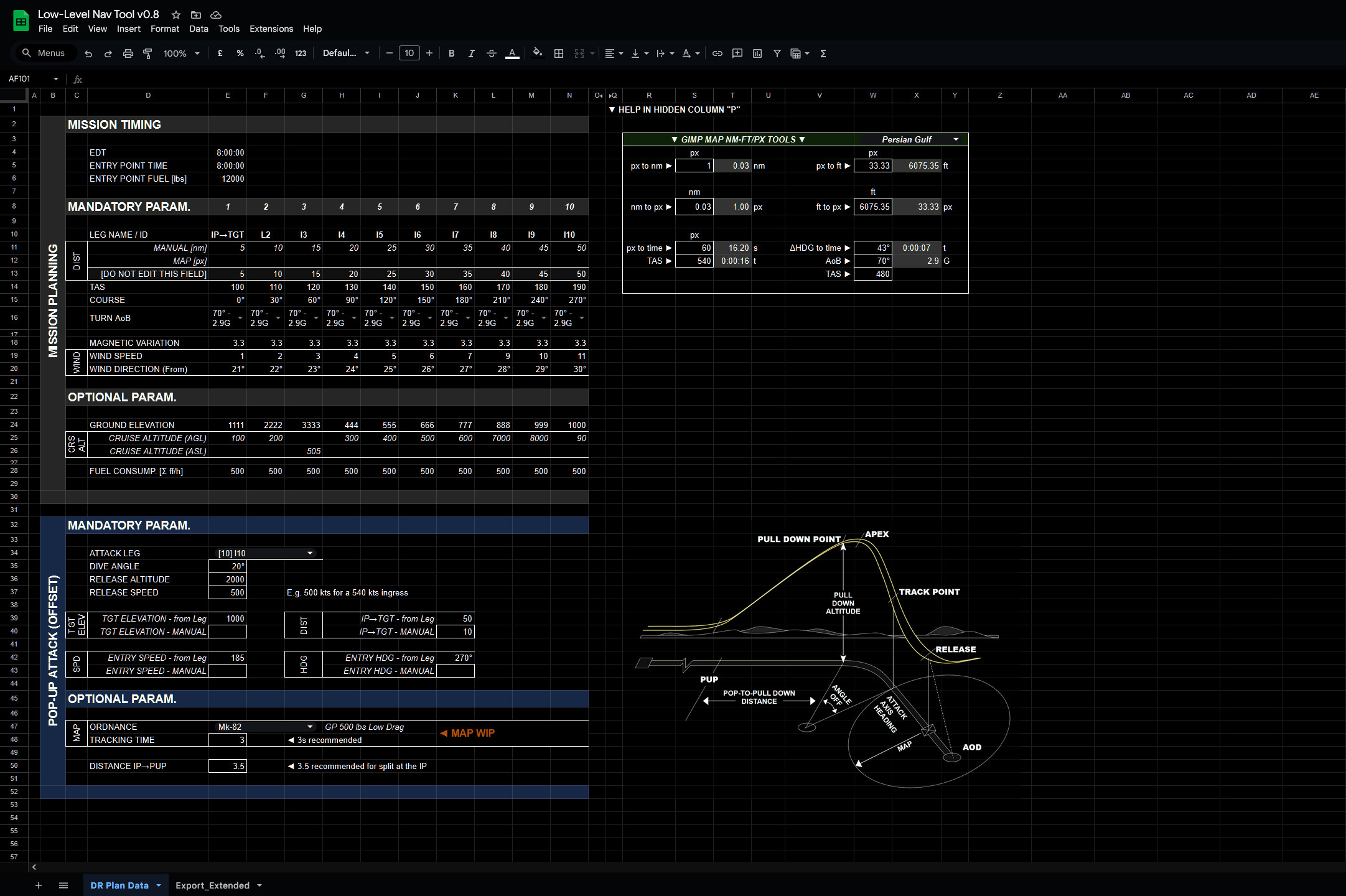
The tools include a map of the Persian Gulf made with GIMP and a calculator based on Google spreadsheet. Let’s have a look at what they do.
Calculator
The spreadsheet is divided into two blocks. The first gathers information related to the flight plan and computes timings, turn radius, wind effects on the course and speed, and much more. The second part, which can optionally be fed information from the flight plan, computes all the necessary parameters to perform a pop-up attack.
The spreadsheet is both dependent and unrelated to the map. The map I prepared, in fact, is one means of retrieving the basic parameters necessary for the output to be computed, but almost any other software can be used, for instance, Combatflite, or even the in-game F-10 map, with a bit of patience.
The first iteration provides an extended data export, where all the variables are displayed. The plethora of information is excessive for standard operations, but it serves the dual purpose of “debugging” and refreshing the briefed details.
The attack information is based on “rules of thumb” suggested by the US AF and is a solid baseline for ab initio players. The export suggests options for both right and left offsets. Depending on intel and briefing, the crew should pick the most effective option. However, these offsets are not sufficient to ensure deconfliction when Section attacks are executed. Specific attack patterns will be discussed in future on FlyAndWire and possibly integrated into this tool.
There are several features I would like to implement in the future. For example:
- More accurate determination of the time spent during the attack phase.
- More concise and effective additional data export templates.
- Incorporate some of the features I developed for my old Mission Datacard Generator, such as extrapolating heading and distance from a pair of latitude and longitude coordinates.
Persian Gulf Map
The map is composed of screenshots from the mission editor, painstakingly linked together to form a detailed and complete representation of how the in-game map looks. The main reason behind this choice is the great number of differences between reality and the game.
The result is a 24000 x 21000 pixels file with multiple layers representing different legs and turns as functions of speed and Gs, on top of symbology for different types of waypoints. Being this map an image, all the GIMP tools are available, making planning and customising the result a quick task. For example, layers can be duplicated, rotated and distances and angles measured via handy keyboard shortcuts.
Several small “quality of life” additions help streamline the process. For example, the layer containing the legs is twice the size of the leg itself. Ergo, when rotated, the fulcrum is already placed in the optimal position.

Conclusions
I have made a few videos showing various tests with both the map and the spreadsheet. Since, as usual, I lack the time to fly, I left in-game examples behind for another video.
Besides some of the mentioned points, in the next few weeks and months, I plan to cover more in-depth the planning of a low-level mission, ordnance delivery, Section and Flight operations with related formations, turns and deconfliction tactics. Ideally, involving real crews as well.
I am looking forward to your feedback.
 FlyAndWire