

Related Articles
- INS Navigation: “Leap Frog” Operations;
- INS Navigation: Bullseye & Nav References;
- INS Fix Update: TACAN, GCI/Bullseye;
- INS Fix Update: Visual/Radar, GPS.
- What is the INS? Back to Basics – INS, Drift, and Navigation.
The Inertial Navigation System, INS, of the F-4E-45MC is the AN/ASN-63. A rather basic device by modern standards, it was later replaced by the improved AN/ARN-101, a system that Heatblur should deliver along with the DMAS upgrade.
The Navigation computer, the AN/ASN-46A, is interfaced via its dedicated control panel, located in the back seat’s cockpit, near the right thigh of the WSO. It provides navigation indication and information then fed to other displays and can store only one point.
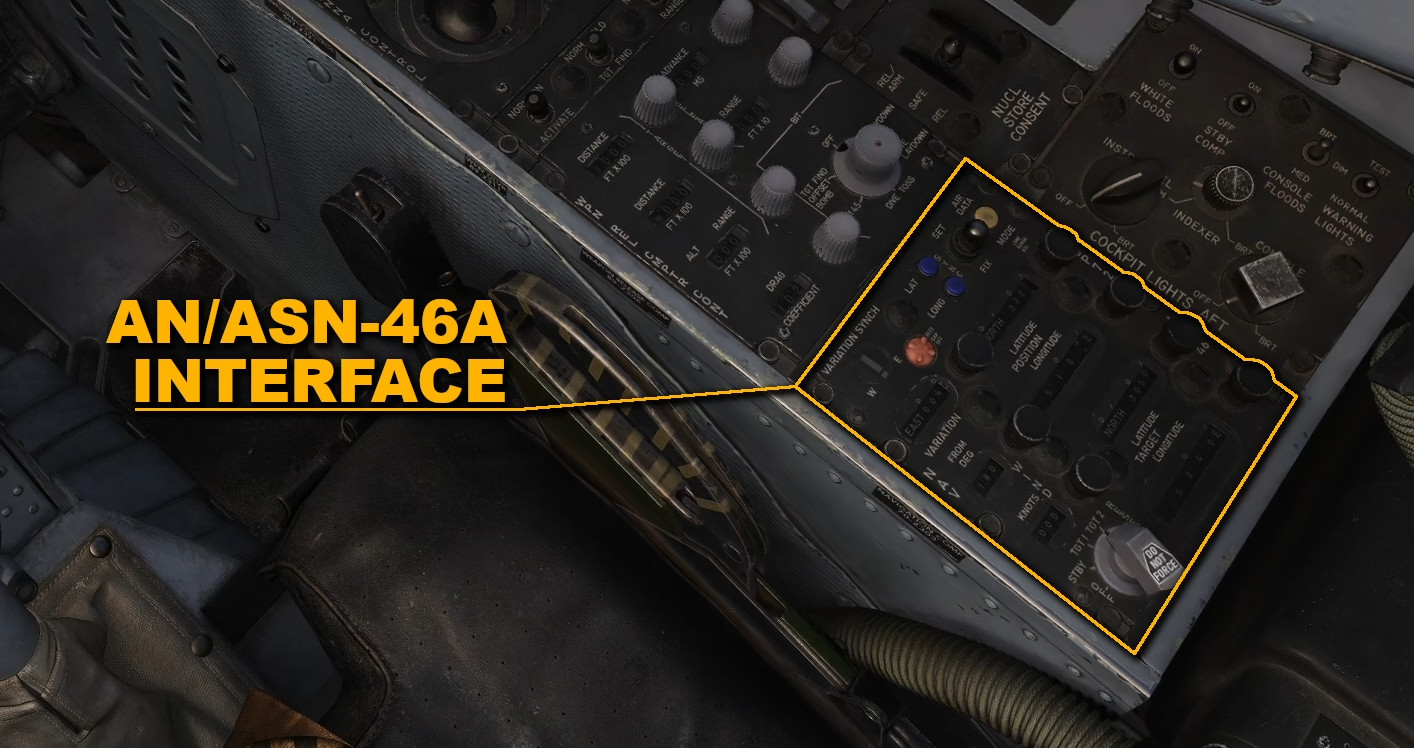
To overcome such a limitation, the WSO can use different techniques and operations; such as the “Leap Frog”.
Input, Output and Operation
Albeit very simple, “leapfrogging” is an unusual technique. To better understand how it works, let’s break down the related functions. In particular, let’s consider the system a black box with a series of outputs, data inputs, and command inputs that the WSO can issue.
The set of latitude and longitude identified by the label “TARGET”, also known as “target counters”, allows the WSO to specify the desired waypoint or reference. Ergo, the two knobs are the data inputs.
The output is the display where the steering information is displayed: the BDHI, the acronym for “Bearing, Distance, Heading, Indicator”.
- If Target 1 is selected, the BDHI shows steering information directly from the inputs mentioned before.
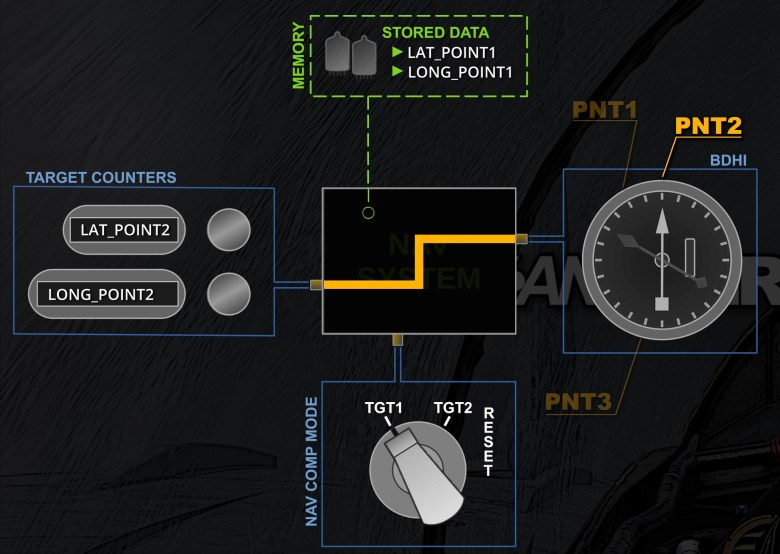
- Target 2, instead, takes the coordinates stored in the Navigation Computer memory and feeds them to the BDHI.
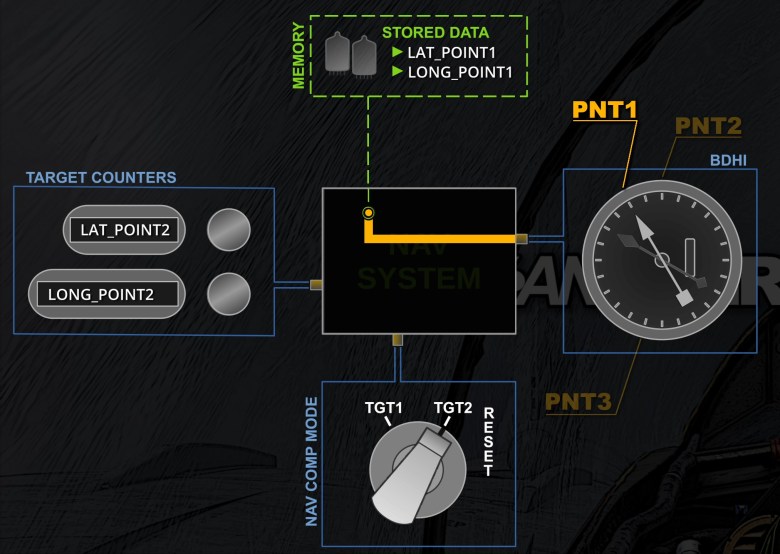
- Lastly, Reset saves the information displayed in the latlong inputs into the computer memory. I think it is easy to understand and remember the Reset function by mentally relabelling it as “Re – Set” or “Set Again”. Reset per se may induce ab initio players to think of it as a deletion, whereas it is more akin to an overwrite function.
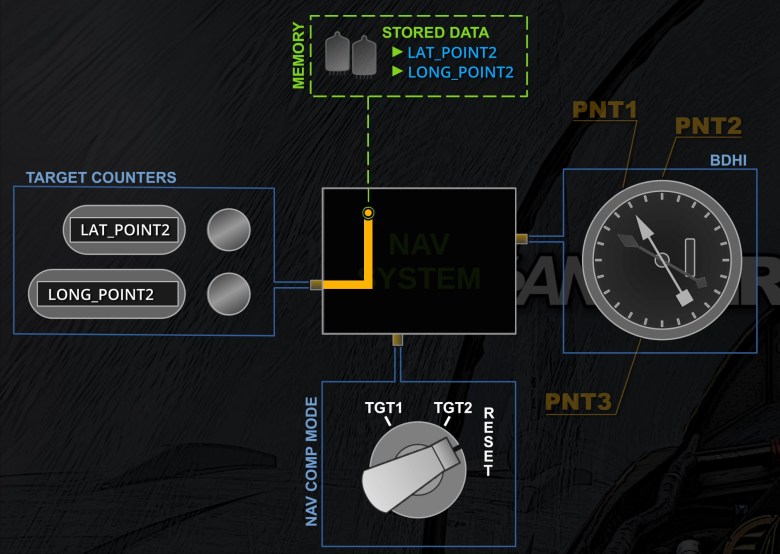
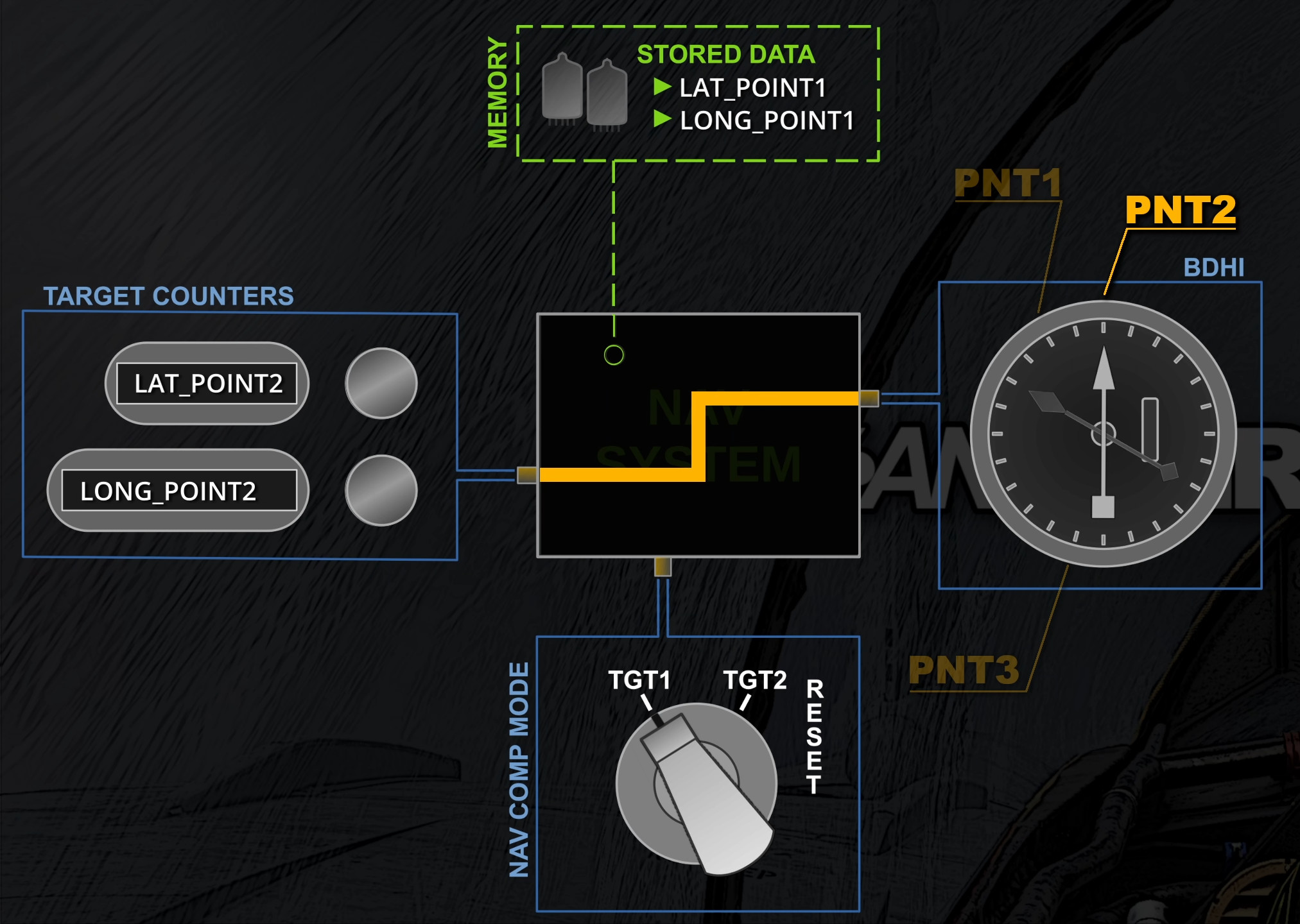
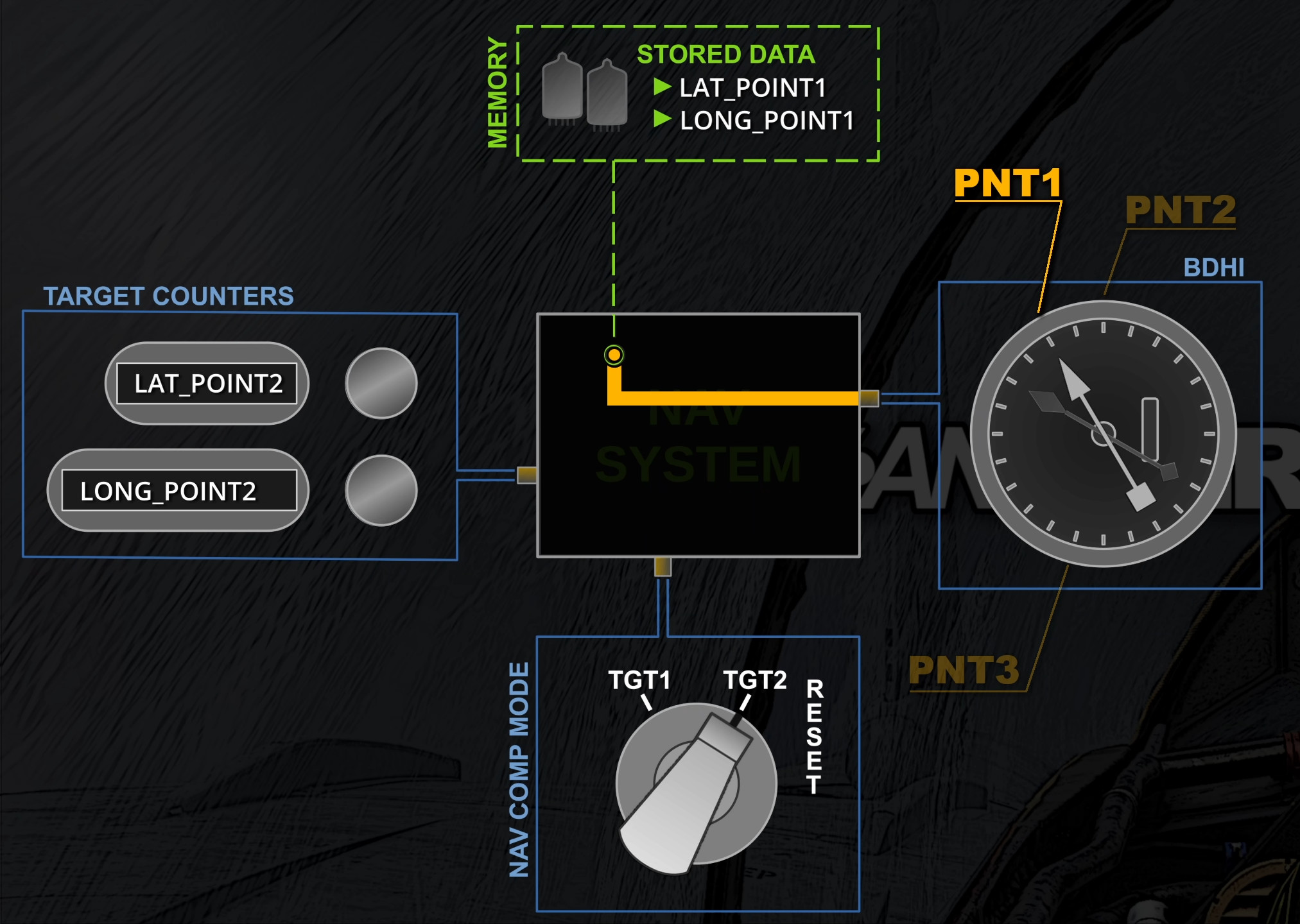
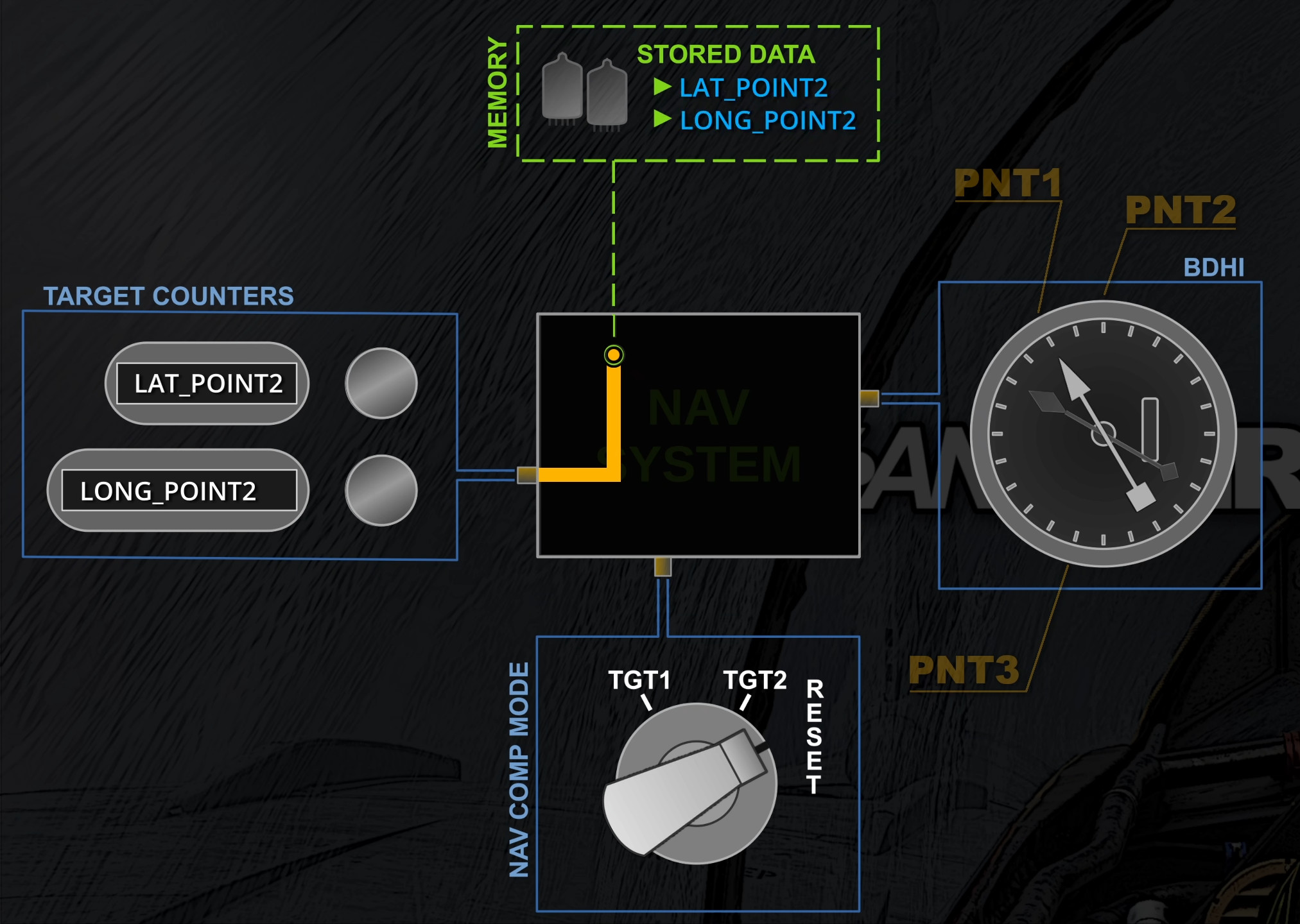
Leap Frog Operations
The Target 2 control is commonly used for navigation. As discussed, it feeds the point information from the memory. In this situation, the latitude and longitude inputs do not affect any display and are editable as required. Ergo, as the crew is approaching the displayed point, the WSO can input the new coordinates. When reaching the point, they can switch to Reset and then back to Target 2. By doing so, the point stored is overwritten with the new set of coordinates, whose navigation information is then shown on the displays.
At this point, the target counters can be freely manipulated for other purposes. Alternatively, the WSO can input the set of coordinates for the next point, and the process can be repeated as it is reached.
The Leap Frog technique has a number of advantages. For instance, it removes the delays between switching waypoints since the WSO can pre-set the new latlong coordinates and quickly switch to Reset and back to Target 2 when necessary. Another example is the usage of Target 1. This control is freely usable to show references to points of interest, bullseye, et cetera. This would not be possible if Target 1 were used for standard navigation.
 FlyAndWire